Instagram Reel Transcript
A Reel transcript is the spoken content of a Reel written out as text. Paste a public Reel link into the tool and you get the words back — no sign-up, no daily limit, and no need to download the video first.
Transcribe a Reel →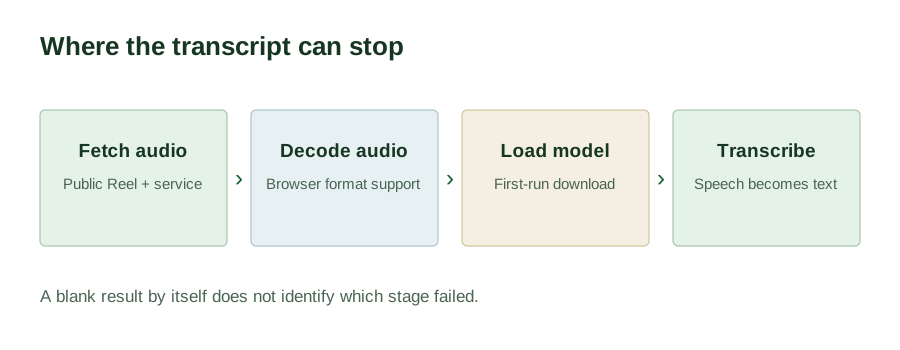
Why Reels are awkward to work with
A Reel is a poor format for anything you actually want to keep. You cannot search it. You cannot quote it precisely without scrubbing back and forth. You cannot paste it into a document, translate it, or hand it to a tool that only reads text. And if you cannot hear the audio, the content is simply closed to you.
A transcript fixes all of that at once. It turns a 30-second clip into something you can search, quote, edit, translate, and reuse — which is why creators, researchers, and accessibility-minded people keep asking for one.
How to transcribe an Instagram Reel
- Copy the Reel's link. Open the Reel in the app, tap the share icon, and choose Copy link. On desktop, use the three-dot menu on the post.
- Paste it into the tool on the home page and select Get transcript.
- Take the text. Use Copy for the clipboard or Download .txt to save a file.
What you get, and what you don't
You get one continuous block of plain English text — the spoken words only, with approximate punctuation and capitalisation from the speech model. It is ready to paste into notes, a caption, a document, or a translation tool.
You do not get timestamps, speaker labels, or subtitle files. If you need an .srt or .vtt file with timecodes, this is not the tool for that job — see the comparison page for which tools do offer subtitle export.
Reels with no captions
This works from the Reel's audio, not from any captions the creator added. A Reel with clear speech transcribes even if the creator never wrote captions. The reverse is also true: a Reel that is music only, with nobody speaking, returns an empty transcript rather than a guess. That is the correct behaviour, not a bug.
Common reasons a Reel fails
- The Reel is not public — private, followers-only, or deleted.
- The Reel is region-restricted away from where the audio is fetched.
- The Reel has no speech — music, ambient sound, or on-screen text only.
- The Reel was removed or renamed since the link was copied. Instagram links go stale; a link that worked last week may not work today.
- The audio simply could not be downloaded for that post.
Instagram Reel transcript FAQ
Is there a free Instagram Reel transcript generator?
Yes — this one. It is free with no paid tier, because the recognition runs on your own device using a free speech model rather than on a metered API.
Do I need to download the Reel before transcribing it?
No. You paste the link. The audio is retrieved for that one request and recognised in your browser. You never save or upload a video file.
Can I transcribe a Reel longer than a couple of minutes?
Yes. There is no fixed length cap here. Longer audio takes longer to recognise in the browser, so expect a multi-minute Reel to sit on the progress message for a while — that is normal.
Does it work if the Reel has no captions?
Usually yes. Recognition is based on the audio track, so a Reel with clear speech transcribes even without creator-written captions. A Reel with no speech at all returns an empty transcript.
Can I transcribe someone else's Reel?
You can transcribe any publicly reachable Reel. Whether you may then republish that text is a separate question that depends on the original creator's rights — transcribing for your own reading, research, or notes is one thing; republishing someone's words as your own is another.
Which languages are supported?
English only. The browser model is the English build of Whisper tiny, so a Reel in another language produces unreliable output rather than a rough but usable one.
Does it work on a phone?
Yes, in a current version of Chrome, Safari, Edge, or Firefox. Recognition is heavier than ordinary browsing, so an older phone will take noticeably longer, especially on the first run while the speech model downloads.
A usable draft still needs a quick listen against the source. The main Instagram to text workflow turns one public Reel link into copyable words. Save the result before moving to another link.